.svg)
Cidiscape is a complimentary, highly customizable reporting tool available to customers licensing integrated Cidi Labs products. Cidiscape provides detailed insights across user-curated batches of courses, focusing on usage and activity data within DesignPLUS, UDOIT, and TidyUP. Institutions can review and export Cidiscape data to inform their processes, support improvement and accessibility initiatives, and streamline related workflows outside the tool.
For institutions looking to connect more robust Canvas course data with seamless, action-oriented project management workflows, ReadyGO provides both the expanded insights and the integrated tools to put them into practice.
ReadyGO is a course lifecycle management system that transforms course data into coordinated action. It enables designers, administrators, and instructors to collaboratively manage course initiatives, streamline processes, and effectively develop, deliver, and continuously improve Canvas courses.
ReadyGO includes all the reporting capabilities in Cidiscape, plus additional key Canvas course data, integrated task management features, and built-in communication tools. ReadyGO can be licensed and used with or without other Cidi Labs products.
What are some examples of enhanced features unique to ReadyGO?
Select each link to view an example.
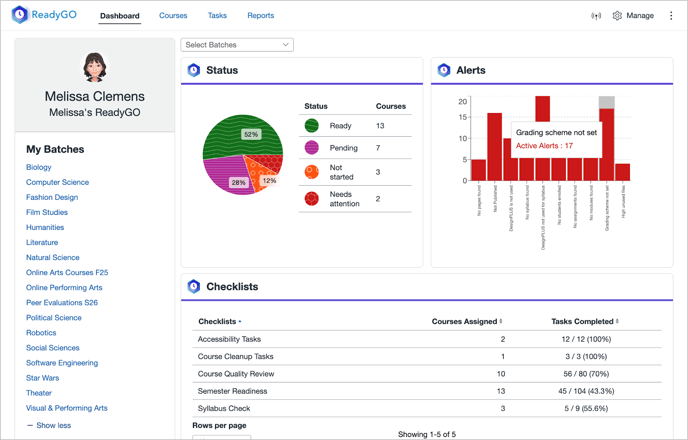
- Customizable course status tracking
- Automated custom alerts
- Collaborative checklists
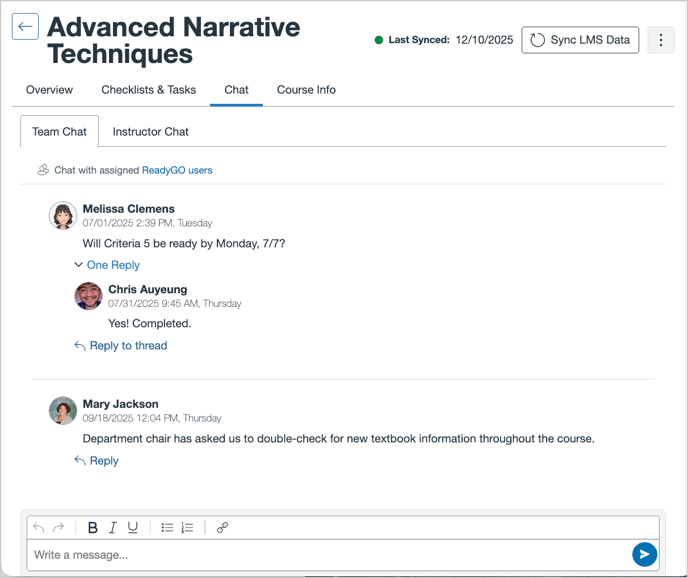
- Centralized team communication
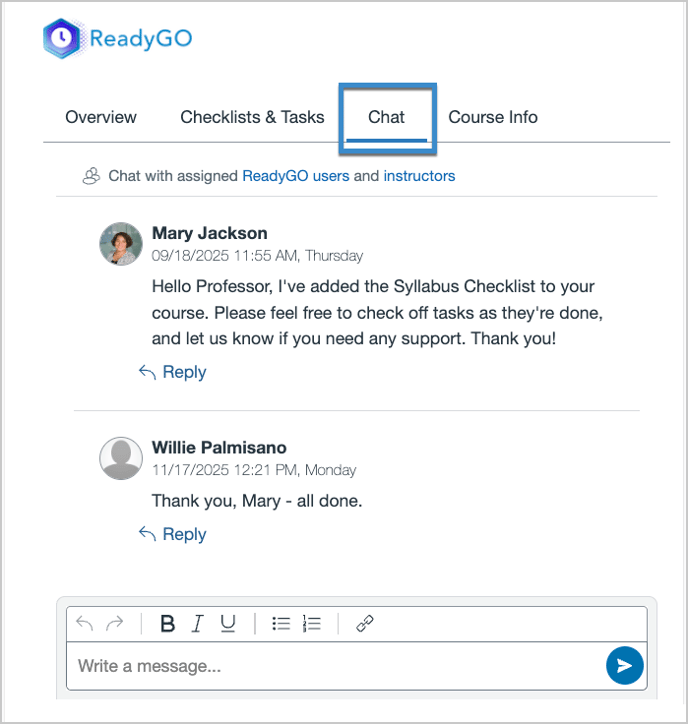
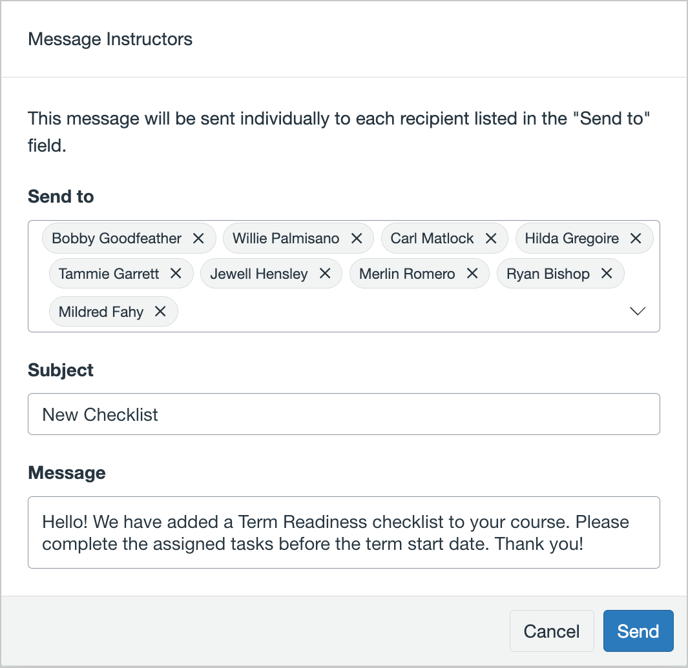
- Instructor messaging (individually or in bulk)
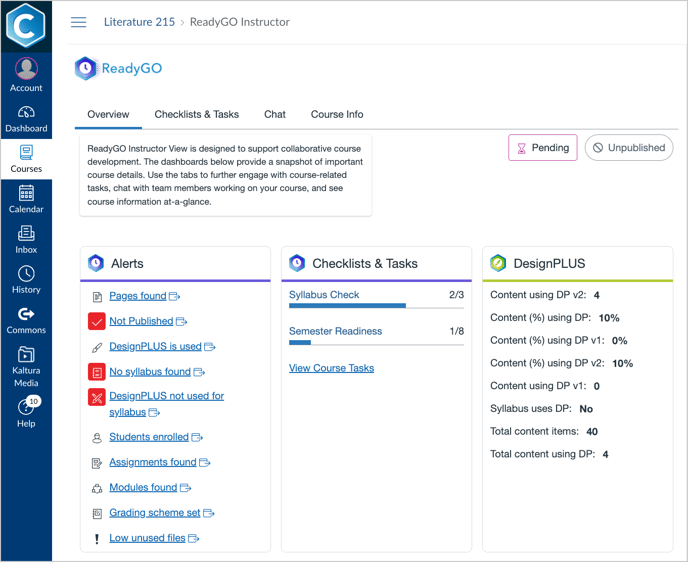
- Instructor access to data, checklists, and tasks within their Canvas course
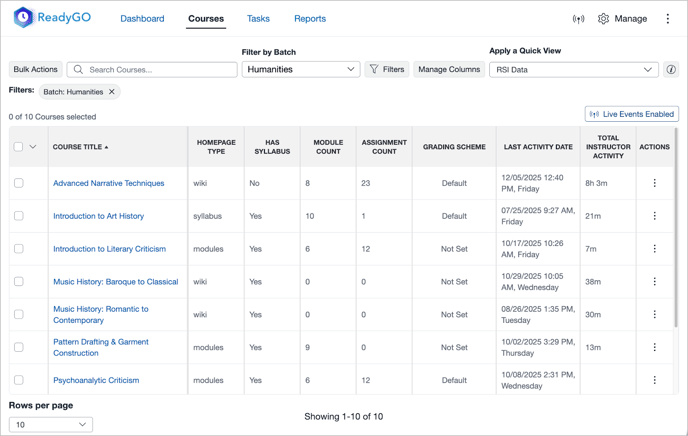
- Key Canvas course data, such as:
- Homepage type
- Grading scheme
- Counts of content types (e.g. announcements, assignments, modules)
Learn more about ReadyGO: ReadyGO User Guide: Overview of ReadyGO’s Features
ReadyGO Feature Examples
Status, Alerts, and Checklists
Centralized team communication
Instructor communication
Instructor bulk messaging
Instructor Tool with data access
Key Canvas data (e.g., for RSI monitoring)