![cidilabs-horizontal-white.png]](https://support.cidilabs.com/hs-fs/hubfs/cidilabs-horizontal-white.png?height=40&name=cidilabs-horizontal-white.png)
We have received a few reports of users seeing strange, gibberish characters in their sidebar, instead of the normal icons.
A hard refresh will resolve the issue.
- Ctrl + Shift + R (Windows)
- Cmd + Shift + R (Mac)
Clearing the browser's cache will also resolve the issue.
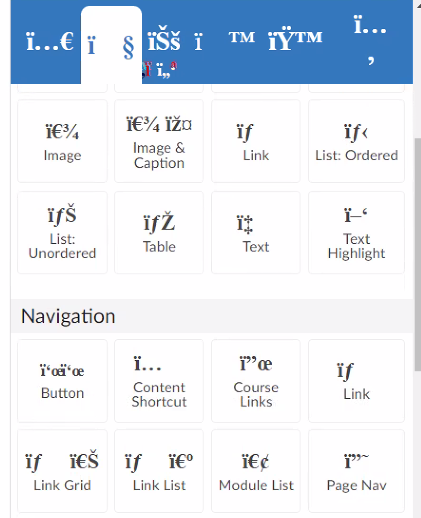
We have released fixes to prevent this, so if it occurs, please contact us at support@cidilabs.com.