.svg)
ObservEd's Sample Data mode allows any user to utilize the ObservEd tool using fictitious data. This feature is great for training and documentation purposes as it keeps your confidential student data private. Data is reset and any changes are undone every time you leave the sample data view, so it's always ready for demonstration and practices purposes!
How to Enable Sample Data Mode
Sample Data mode can be enabled through the User Settings area of ObservEd:
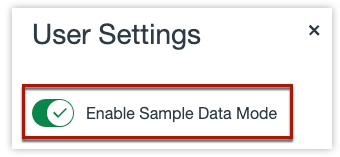 Select the kebab menu in the upper right of any page in ObservEd
- Select User Settings
- To view only fictitious data, toggle on Enable Sample Data Mode
When Sample Data Mode is enabled, users will see a banner across the top of their screen while working within the ObservEd tool.

Additional Resources: