
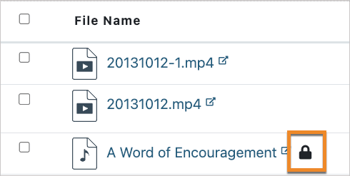
 Hiding and unpublishing are two different ways to restrict learners' access to files in Canvas. In TidyUP, files and folders marked as Hidden, Unpublished, or both will display a lock icon next to the file or folder name.
Files marked as Hidden can only be accessed by learners if they are linked or embedded in a content item or module. These files will not be visible when learners navigate directly to the Files area. You can make a file available only to certain students by setting it to Hidden and then providing the link to those students.
Files marked as Unpublished are not available to learners at all. These files can only be accessed by teachers, designers, or other users with editing permissions in the course.
Marking a folder as Hidden or Unpublished applies that status to all files stored in the folder.
Learn more in the TidyUP User Guide: